You want customers to buy online
Make suitable products and standard packages available to browse, configure and purchase on your own website.

Turn your .com into a buying channel for selected products and services. Let customers purchase independently or with AI guidance, and connect larger or more complex requirements to your sales team.
Make suitable products and standard packages available to browse, configure and purchase on your own website.
Help SMB customers compare plans, understand what is included and choose the right options.
Handle repeatable purchases online and bring your team into complex requirements with useful customer context.
Give buyers three ways to move forward on your website.
Customers can move between these routes without repeating what they have already shared.
Customers browse, compare, configure and purchase eligible products at their own pace.
Customers describe their needs, receive relevant guidance and continue towards a purchase.
Customers explore online, then work with sales on larger orders, tailored configurations or specialist requirements.
One connected experience for choosing a plan, configuring an order and deciding how to proceed.

Core business calling
Calling · VoicemailCalling and team collaboration
Calling · Meetings · MessagingTailored deployment and support
Review with a specialistCustomers do not need to complete every tool. Connect the steps that help them make the purchase.
Use product comparisons or a Solution Recommender where a catalogue alone cannot explain the fit.
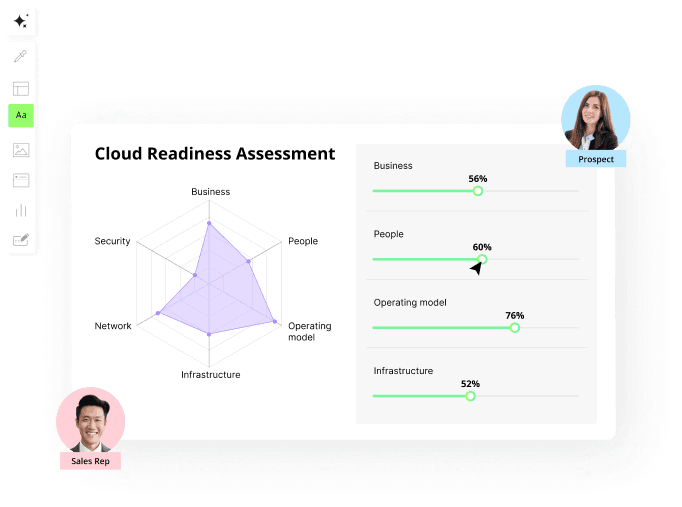
Connect an assessment, ROI calculator or business case when customers need to understand readiness or justify an investment.
Use Pricing & CPQ to apply the approved options, prices and quote rules behind the offer.

Upload product brochures to draft your catalogue, then review pricing and buying routes before publishing to your website.
Present selected products, plans, services and relevant information under your brand.
Help customers compare suitable options and understand why a package fits.
Connect users, quantities, terms, add-ons and approved pricing rules.
Define what customers can buy online and when a tailored quote or review is required.
Explain products and options using approved information, with a clear route to a specialist.
Scope account permissions, catalogue visibility and agreed commercial terms.
Agree the orders, subscriptions, documents and service information customers can manage.
Define who maintains product content, availability, prices and approval rules.
Scope the payment provider, billing platform and commercial checks required for your purchase flow.
Agree which approved orders pass to fulfilment, provisioning, CRM or other systems.
Bring your products, services, partner offers and target audiences together. Agree what customers can explore, configure and request.
Use the built-in AI workflow to help draft your marketplace from product information. Review the catalogue, buying routes and supported configuration before publishing.
Work with our team on portfolio content, UX, buying logic, integrations, testing and launch.
Build around your own catalogue, account model, commercial process, hosting and operational systems.
Keep the customer’s choices and requirements with the enquiry, quote or next workflow.


Capture customer context and support relevant follow-up.

Connect agreed information to nurture and campaign workflows.
Connect CPQ, commercial rules, proposals and approval workflows.
Scope connections to the account, order or service systems your journey needs.
APIs, webhooks and supported connectors, with feasibility, field mapping and access agreed for each connection.
Examples of recommendation, pricing and quoting applications that can support a marketplace journey.
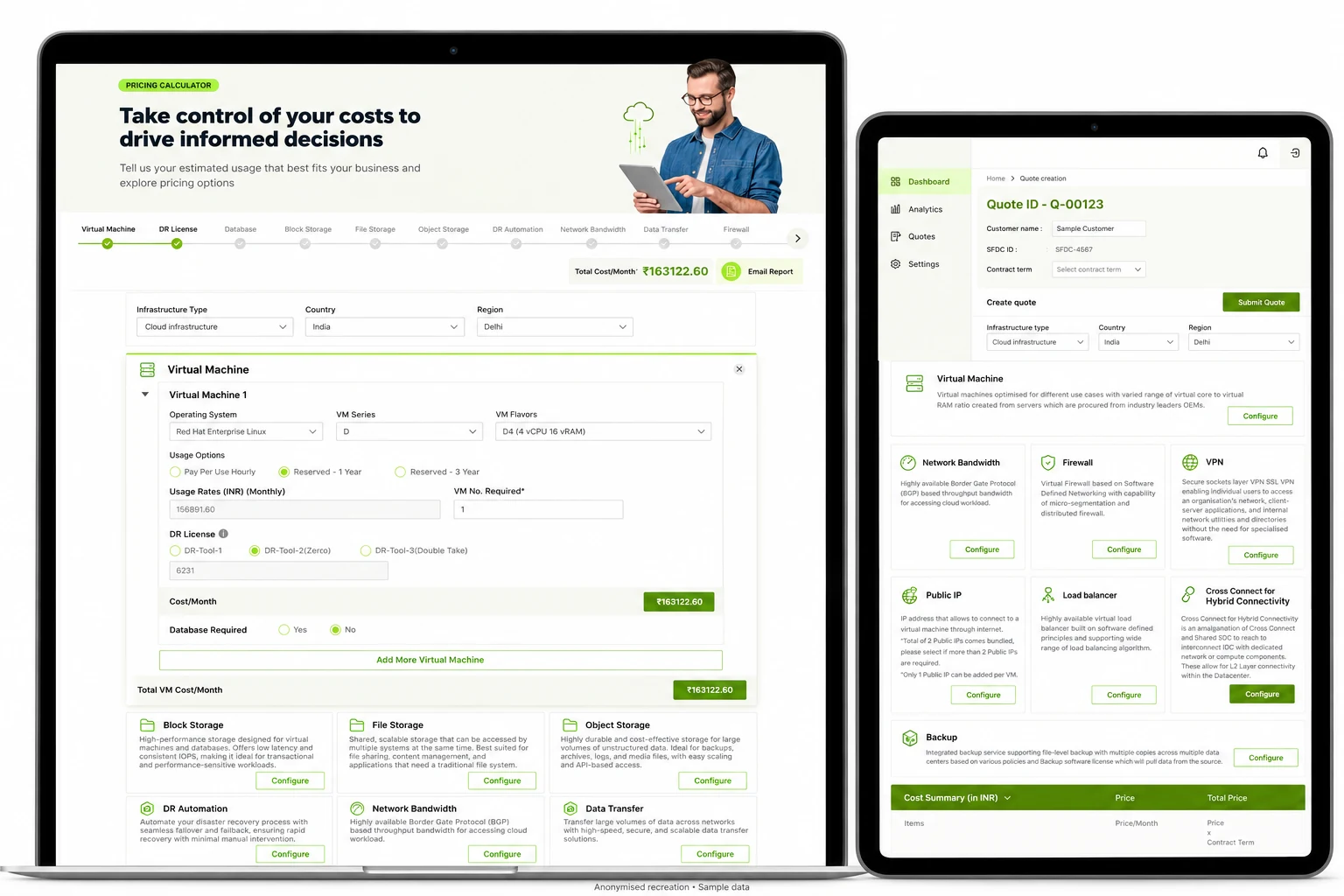
A customer-facing calculator connected to a sales quotation and approval process.
Read case study →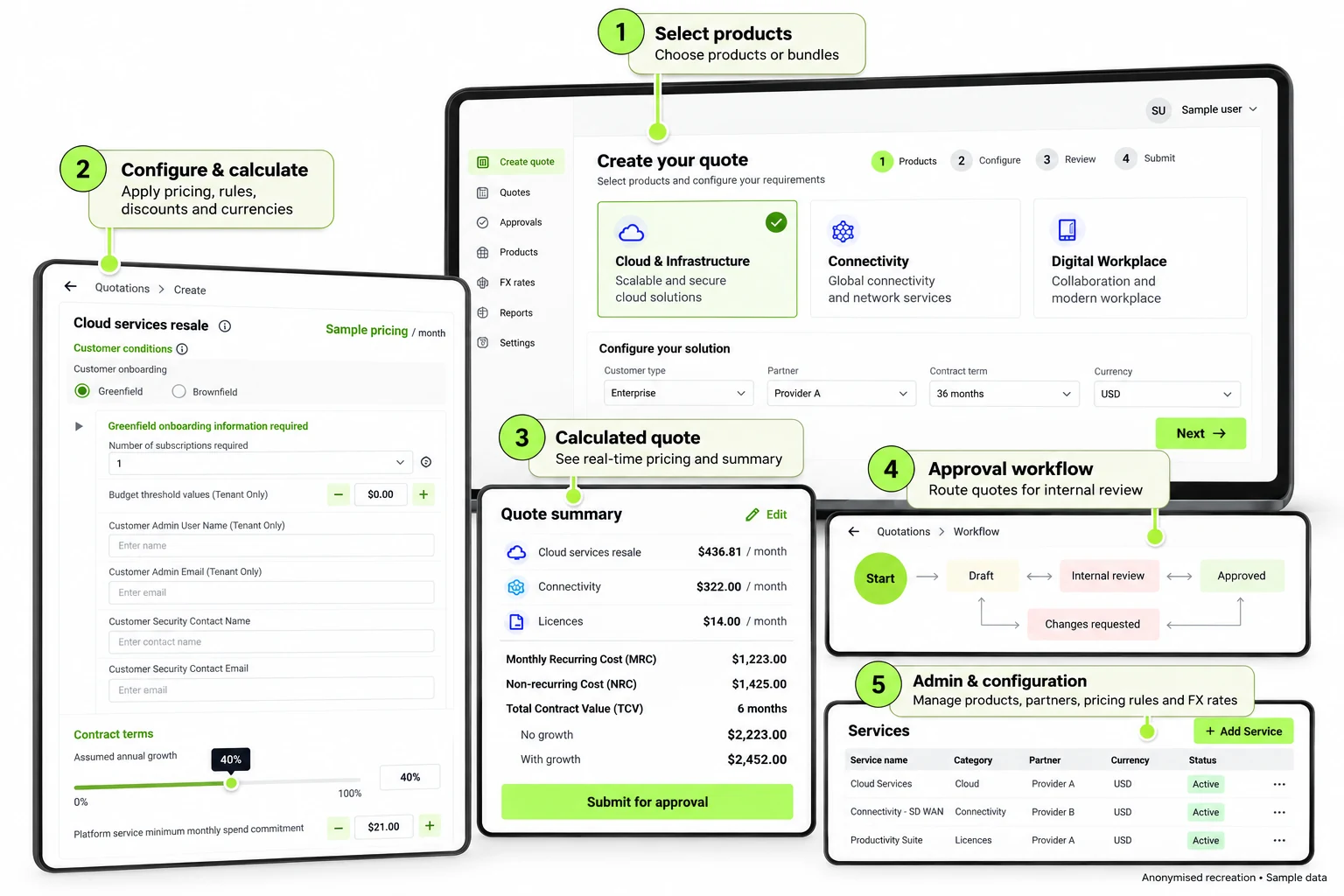
Product configuration, pricing rules and approval workflows in a hosted sales tool.
Read case study →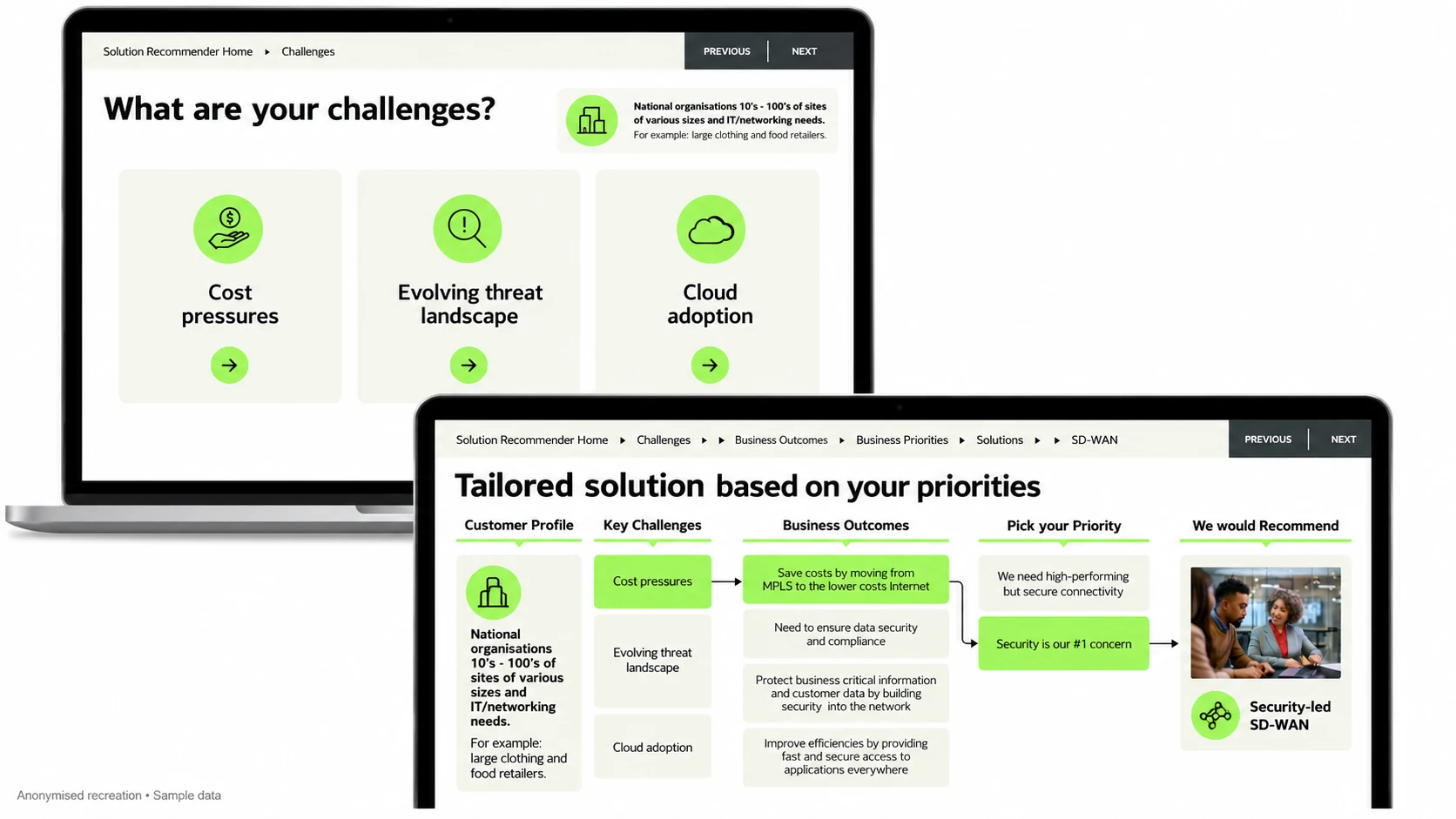
Guided discovery that keeps the customer’s requirements visible in the recommendation.
Read case study →Bring product knowledge, customer requirements and sales workflows into one marketplace.
Define what to sell online, then take the marketplace through design, development and integration.
Use AI to draft product content and guide buyers. Your team approves the catalogue, pricing and buying rules.
Agree responsibilities, launch milestones and ongoing support around how your business operates.
It is a branded buying environment on your own website. Customers can explore selected products, compare plans, configure requirements and either purchase online or continue with your sales team.
You decide which products are eligible for online checkout and which go to sales for a quote or review. We agree the pricing, configuration rules and commercial checks before launch.
You define the handover points, such as larger quantities, bespoke configurations, multiple locations or specialist requirements. Sales can receive the customer’s selections and requirements instead of starting discovery again.
An AI guide can explain plans, help customers describe their needs and suggest suitable options using approved product information. Prices and orders follow your agreed commercial rules.
Yes. Customer-specific products, permissions and commercial terms can be included where required. We agree the account model, source systems and access rules for your implementation.
Yes. Use the relevant tools to help customers choose a solution, understand value or configure a price. Define what information carries between the steps so customers do not need to repeat it.
The account can show the agreed orders, subscriptions, documents, support routes and service information. Actions such as changing users or services depend on the systems and permissions connected to the portal.
These are defined in the project scope. We agree the payment provider, billing, order checks, fulfilment or provisioning systems and the interfaces needed. A catalogue or checkout visual does not mean every operational integration is already included.
Yes. Launch with suitable products and a defined purchase or quote journey, then extend the catalogue and connections as your business requires.
The built-in AI workflow can help draft the experience from your portfolio material. Your team reviews the catalogue, product claims, pricing, buying logic and integrations before launch.
Tell us about your portfolio and how customers buy. We can help connect the right content, tools and sales support.
Discuss your marketplace →